Bring your own AI · for Roblox developers

Your AI builds
your Roblox game.
You stay in control.

Bring Claude Code, Codex or Cursor, your game files and Roblox Studio into one desktop workspace. Choose one change, review the edits, then try the same player action in Studio.

Start with a free local scan — no AI account or card needed. Agent edits use your own CLI access and provider limits. Windows & macOS.

Stuck on your first project? Get free help by email — no call needed →

01 / YOUR NEXT UPDATEA better player experience
Remember my last checkpoint
Fall. Respawn. Keep going.One checkpoint turns a setback into another try.

Illustrated example · build and test your own change in the app.

Before you publish · Baseplate Verify · free

Check your changes before you publish.

Not sure what to improve first? Open Guide → Find what to improve → Open free local scan. Review a finding with its file and next steps. A local scan points to risks and missing evidence; gameplay still needs a Studio test.

Local scan · no source upload · no AI credits required

Not sure what to check first? Tell us where you are stuck — free help by email →

82/ 100Example · 2 checks left
  1. Static safety scan0 high-impact findings
  2. Capture performance budgetThen · release-ready proof

Meet your workspace

Your next Roblox update starts here.

Recorded app preview · demo projects and edited captures · your AI provider’s plan is separate

Drive it in your browser

Prompt the build.
Watch the proof arrive.

This interactive simulation runs entirely in your browser — no account, AI credits or source upload. Type a Roblox task and watch Baseplate coordinate the builder, Studio and Regression Lab.

Local simulationYour prompt never leaves this page.
Baseplate · demo-tycoonReady for a mission
BuilderCodex · demo-tycoonworking tree
› Waiting for your prompt…
›
Studiolive bridgeconnected
› Play session idle · Output clean
Roblox Studio bridge
Regression Labevidence chainbaseline #18
› Scenario queued · 6 deterministic steps
EpochPlayStateStopErrors
Remote Contractsserver authoritylocal scan
› 8 server handlers mapped · no source uploaded
type · range · rate limit · ownership
✦
Try:

Interactive product simulation. The desktop app performs these actions against your real local project and Studio session; this page does not execute code or contact an AI provider.

Bring your own AI

Your AI. Your game. One workspace.

AI choice

Local workspace

Baseplate Your project workspace.

Game connection

  • Roblox StudioLive bridge & playtests
  • RojoProject file sync
  • Open CloudOptional · live game tools

Use your own AI account. Features vary by tool.

The flagship loop

Playtest → error → fix → PASS.
Keep the evidence.

Choose a failing action in your game. With a supported CLI and Studio connected, the agent can read runtime errors, edit your source and rerun checks. You review the change and replay the same player action.

01

Playtest

The agent runs your game through the live Studio bridge and watches the console — the same output you'd read, minus the squinting.

02

Diagnose

It reads the real stack trace, finds the cause in your Luau source, and explains it in plain language — not a cryptic dump.

03

Fix

It edits src/ directly. Rojo syncs the change into Studio the moment it's written.

04

Verify

Rerun the checks and inspect what passed or blocked the run. Replay the player action too: a clean console alone does not prove the gameplay works.

Exploit Guard

Can a player choose their own price?

Review handlers that accept prices, rewards or damage from the client. Exploit Guard can flag risky patterns, explain why they matter and help your chosen agent write server-side checks. Review the findings and test each change in Studio.

  • Flags remote handlers to review for client-controlled values
  • Explains the risk — for example, a client supplying its own price
  • Helps your agent prepare server-side validation for you to review

Included free Exploit Guard ships in the Free plan. Protecting your revenue shouldn't be a paywall.

The full toolbelt

One deck. Every job a Roblox studio
hires people for.

Each of these is a one-click mission that runs on a real agent with eyes inside your game — not a chatbot guessing from the outside.

Crew — visible agent swarms

A Foreman plans the mission and spawns builders in their own tiles, each owning its files. Watch a whole feature get built in parallel, narrated in a live mission feed.

Ship Gate

"Is it safe to release?" answered honestly: one verdict across runtime, security, data safety and robustness — with every blocker named as its real-world consequence.

Economy Simulator

Models every currency source and sink in your game, simulates a cohort of players, and flags inflation, progression walls and money-printer loops — with tuned numbers.

Live-game Doctor

Connects to your published game via Open Cloud, reads real player data, and diagnoses retention cliffs, stuck players, corrupted saves and live exploits.

Prompt-to-game

Describe a game in one sentence. Baseplate scaffolds the workspace and a Crew builds the first playable slice — loop, saving, UI — with a first version you can review and playtest.

Starter kits

Pick your genre — tycoon, simulator, obby, tower defense, horror escape, battlegrounds. Baseplate scaffolds the project and agents build the real loop into it. Free plan included.

Asset & UI Generator

Generates mobile-safe Roblox UI in Luau, then looks at the result through the bridge — overlap, off-screen, contrast — and iterates until the layout is clean.

Ask your game

A knowledge index of your source — ask "where is the shop logic?" and get file:line answers instead of an agent burning tokens re-reading every script.

Mission marketplace

Battle-tested, one-click missions: gacha with pity, anti-dupe trading, daily streaks, rebirth, global leaderboards. The systems every hit game needs, pre-briefed.

Multiplayer harness

Simulated player load hunting the bugs only multiplayer surfaces: desyncs, two-players-buy-the-last-item races, client-authority holes, state leaks.
The deck

It feels less like a tool,
more like a team.

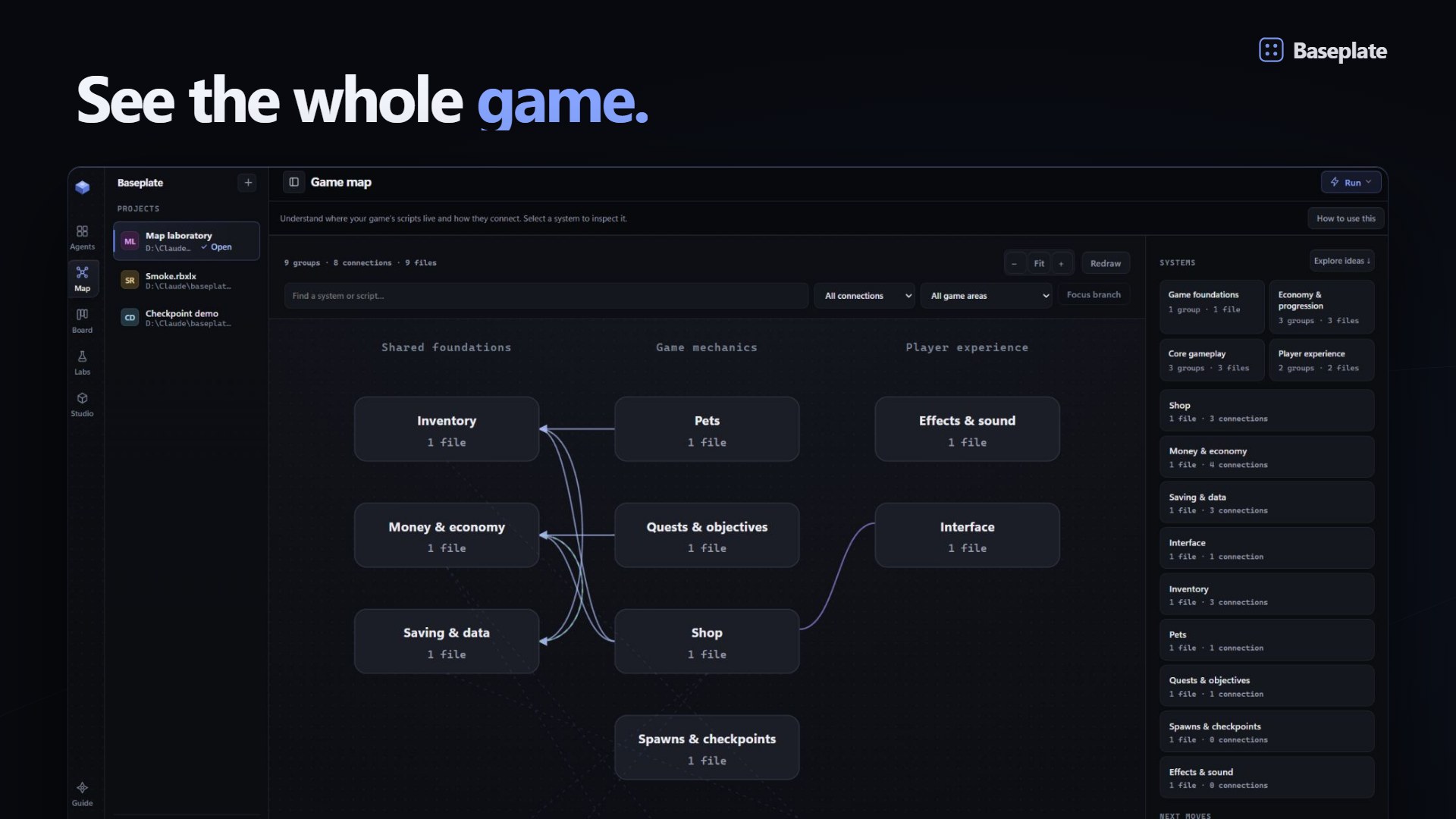
Agents live in tiles on a deck — real terminals when you want them, clean transcripts when you don't. A Kanban board dispatches work, a mission feed narrates progress, and the Studio panel shows your bridge, Rojo and plugin health at a glance.

  • Native Claude Code terminals in tiles — every command and /model works 1:1
  • Check your CLI and account before opening an agent
  • Voice dictation into any tile, command palette everywhere

Pricing

Start free. Upgrade when
your game earns it.

Start with one agent and free local checks. Pro adds release reviews and parallel agent work. Choose monthly or yearly billing.

Free

Build, fix and secure one game at a time.

$0forever
No payment details needed
Download free
  • One agent tile at a time
  • Live Studio bridge + Rojo sync
  • Playtest Copilot — fix & explain runtime errors
  • Exploit Guard security audit
  • Baseplate Verify + Regression Lab + Remote Contracts
  • Starter kits + demo game to start from

Studio

For teams shipping together.

$12.99/ month
$12.99 billed monthly
Get Studio
  • Team collaboration — shared board & prompt library
  • See who's online on your team
  • Up to 10 agents in parallel
  • Bigger Crew swarms (up to 8 builders)
  • Everything in Pro

Your license key is shown immediately after a successful checkout, and we also attempt email delivery — paste it into Baseplate and you're upgraded. Cancel or change your plan anytime. 14-day refund, subject to the limited anti-abuse exception in our Refund Policy.

Start with one free local scan.

After installing: Guide → Find what to improve → choose your project → Open free local scan. No AI account, Open Cloud key or payment details needed for this step. Follow the setup steps.

Local Map and Verify reads need no AI account or Open Cloud key. For AI-powered building and playtesting, connect Roblox Studio and a supported CLI with working sign-in. Claude Code, Codex and Cursor support Playtest Copilot; Cursor requires Cursor Agent CLI in addition to any IDE installation. Grok supports builder tiles. Antigravity supports Native tiles for personal Google accounts; Gemini CLI requires an API key or a supported organization license. Windows downloads use Microsoft Store; unsigned direct installers may show SmartScreen. The current unsigned macOS build requires Apple's Open Anyway steps; only an Apple-notarized release can remove that warning.

FAQ

Fair questions.

Do I need my own AI subscription?

Not for a local Map read or Verify scan. You can start with your project and no AI account or Open Cloud key. Agent-powered edits need your own supported CLI and working sign-in. Claude Code, Codex and Cursor support Playtest Copilot. Grok supports builder tiles; Antigravity supports Native tiles for personal Google accounts. Gemini CLI requires an API key or a supported organization license. Baseplate does not include AI inference. Free costs $0, Pro costs $4.99/month, and your provider’s usage limits and charges still apply.

Does my code leave my machine?

Baseplate does not upload your projects or keys to Baseplate. Your selected AI provider receives prompts, code and context needed for the work. License validation sends your key and a random installation identifier to our Cloudflare service. If you enable team collaboration, board cards, shared prompts and display names sync through the team service; source files and API keys do not.

Why not just use Roblox Studio's built-in Assistant?

Assistant can write code and playtest inside Studio. Roblox also provides a built-in MCP server for external AI clients. Baseplate adds a desktop workspace with agent tiles, Rojo project files, a task board and reusable regression recipes. Try the built-in tools first if they already cover your workflow.

How is this different from just using Claude Code in a terminal?

A terminal agent can already connect to Roblox’s official Studio MCP server. Baseplate brings the workflow together: project setup, visible agent activity, a task board, Studio change history and production labs. A bridge alone is not a unique Baseplate feature.

How do I cancel or change my plan?

Anytime, yourself — no email required. Open the billing portal and sign in with the email you paid with; from there you can cancel, switch between Pro and Studio, update your card, or download invoices. A cancellation keeps your plan active until the end of the period you've already paid for, then drops you to Free.

What happens when my Pro subscription lapses?

You drop back to Free — one agent at a time, with the bridge, Regression Lab and Remote Contract Compiler still included. Your projects, workspaces and history stay untouched on your disk.

Is the Studio plugin safe?

The plugin only talks to Baseplate on 127.0.0.1. The local server rejects foreign Host and browser Origin values, the Electron renderer is sandboxed, and release packages use ASAR integrity checks. No security control can guarantee invulnerability, so review agent-generated changes before you ship.

I'm a student / hobbyist. Is Free actually usable?

Free is the full core loop: one agent with complete Studio access, Playtest Copilot, Rojo sync, Regression Lab and Remote Contract Compiler. It's deliberately generous — if Baseplate never earns your upgrade, it should still make your game better.

Your next step:
one project, one free scan.